
Logic Driver Pro vs State Tree
How to choose a state machine system for Unreal Engine 5.
If your problem is best expressed as "here are the states this system can be in, and here are the transitions between them," pick Logic Driver Pro. If your problem is best expressed as "here is a hierarchy of behaviors and the system should pick which one runs based on conditions," pick State Tree.
event Last reviewed 2026-05-11 · Covers UE 5.7
What State Tree Is
Epic describes State Tree as "a general-purpose hierarchical state machine that combines the Selectors from behavior trees with States and Transitions from state machines." It ships free with Unreal Engine and is the path Epic invests in for Mass and Smart Objects.
Authoring happens in a tree outline edited through the Details panel. Logic lives in dedicated Task, Condition, and Evaluator classes that the asset references. It targets AI-shaped problems: "given the world right now, which sub-behavior should run?"
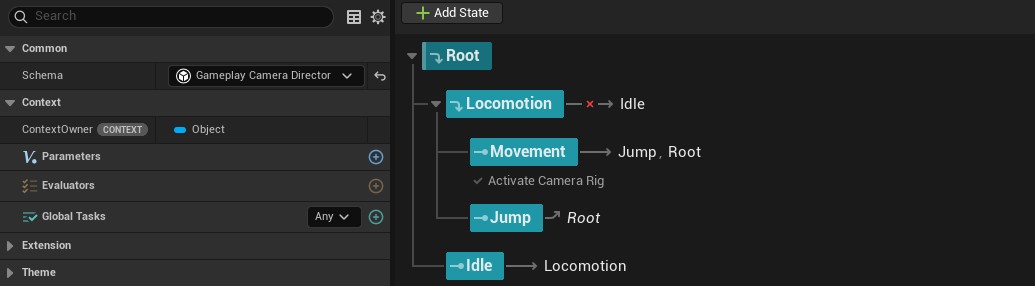
State Tree editor in Unreal Engine 5.7.
What Logic Driver Pro Is
Logic Driver Pro is a hierarchical state machine framework for state-driven gameplay (combat, dialogue, quests, UI, AI). It extends the Unreal Blueprint graph editor: a state machine asset is itself a Blueprint, authored with drag-and-drop transitions, properties, and pins, and mirrors the Animation Blueprint authoring style.
States and transitions can be subclassed into reusable Custom Node classes whose visuals adapt to the variables they expose, with Construction Scripts and Node Validation controlling what reads on the node. Replication is built in, with per-asset client/server authority.
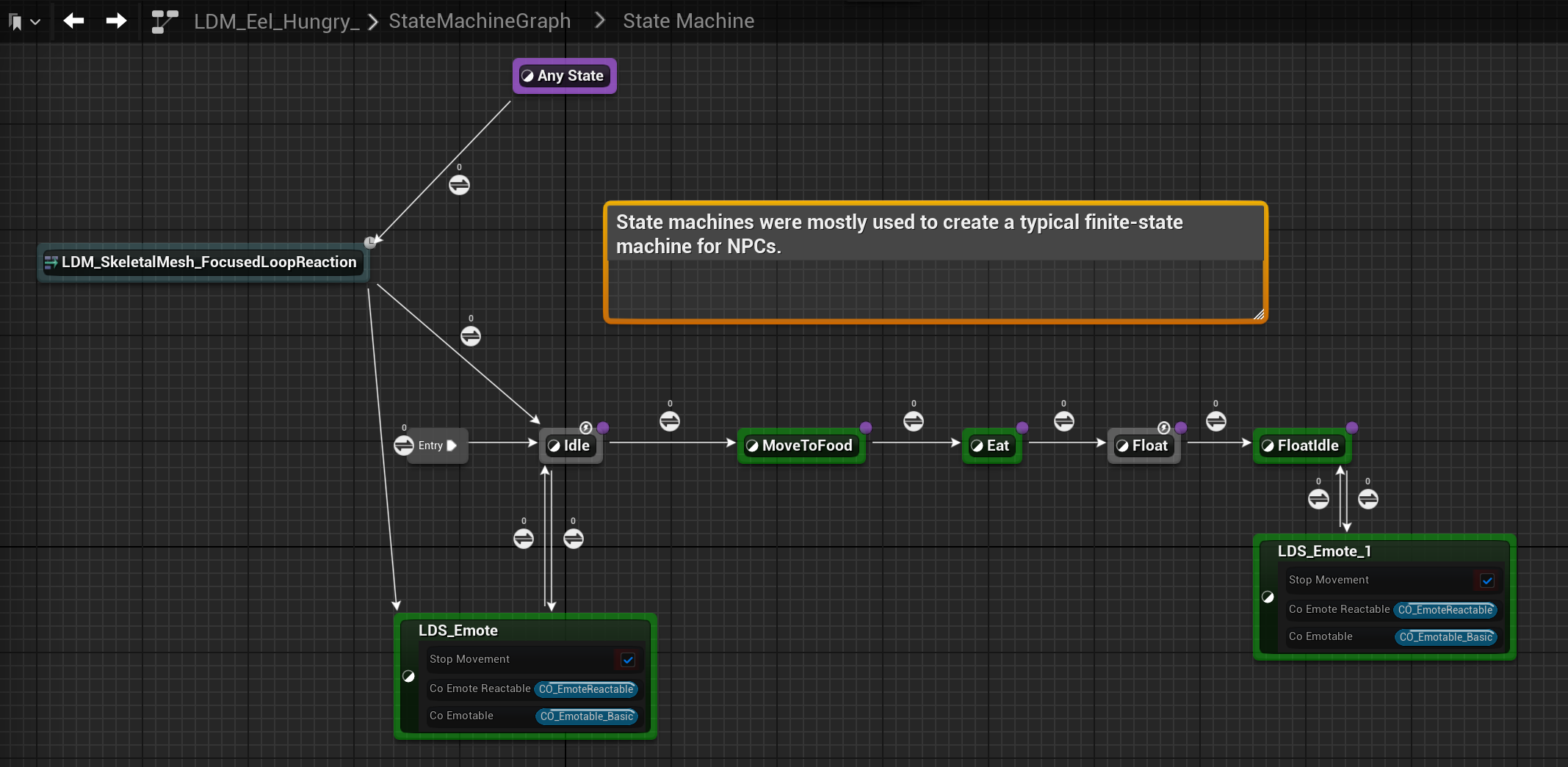
Logic Driver state machine in Double Fine's Keeper.
Architectural Comparison
| Topic | Logic Driver Pro | State Tree |
|---|---|---|
| Mental model | "What state is this in, and what changes the state." A pure hierarchical FSM. | "Decide which behavior runs." Behavior-tree selector roots, FSM-style leaves. |
| Editor surface | Extends the Blueprint graph editor. Drag-and-drop transitions, properties, and pins; dive into any state to write standard Blueprint logic. | Tree view. States are arranged as a hierarchical outline and edited through the Details panel. |
| Where Blueprint logic lives | In the state-machine asset itself (each state and transition can host Blueprint logic), in subclassed Custom Node classes, or both. | In dedicated Task, Condition, and Evaluator classes that the tree references. The State Tree asset orchestrates and binds those classes. |
| State visualization | Each node's visual auto-adjusts to its exposed variables and configuration (rich text, numeric input, icons, dropdowns). Construction Scripts add conditional shaping, e.g., hide one variable based on another. | State name and task list, surfaced consistently in the Details panel. |
| Decision making | Transitions only. Explicit conditions, events, and arbitrary Blueprint expressions on each transition. Transition Stack composes multiple reusable transition classes with operators and auto-generates the Blueprint expression. No built-in utility or weighted-random selector primitive. | Two layers. Selectors at each parent choose which child state runs (Select First, Random, Highest Utility, Random Weighted by Utility). Transitions fire on events, conditions, or state completion. |
| Property bindings | Drop any Blueprint variable or function onto a state's property; transition conditions are inline Blueprint expressions. Output Variables expose Input / Output / Both pins on state nodes, wired across states in the graph and readable by the owning state machine Blueprint. | Property-list picker; copy semantics by default, with TStateTreePropertyRef<> for references. Output to the owner is via a tree parameter plus TStateTreePropertyRef<>. |
| Validation | Node Validation integrates with the Blueprint (Kismet) compile process. Info, warning, and error messages surface inline on the node itself and in the compile results panel, and can block compile on bad input. | Compile-time validation on tasks, conditions, and property bindings; errors surface in the asset compile log. |
| Debugging | Live debug in PIE: active states highlighted with time-in-state, animated evaluating transitions, per-instance debug object. State Breakpoints, Step Into/Over/Out integrated with the Blueprint debugger. | Trace-based debugger integrated with Insights and the Rewind Debugger. Record a PIE or remote session, scrub the event timeline, and set breakpoints on a state's Enter/Exit, on transitions, or on individual tasks. |
| Referenced state machines | State Machine References with optional Intermediate Graphs and dynamic references. | Subtrees within an asset. Linked Asset states run another tree as a subtree. |
| Concurrency | Explicit Parallel States feature. | Multiple active sibling tasks within a state. |
| Replication | Built-in, with client or server authority configured per state machine. State changes and transitions replicate; see the networking guide for what's covered and how authority is configured. Also available in Lite (free). | None natively. State changes don't propagate; teams add their own replicated layer. |
| Editor sandbox | Preview Mode renders a sandbox world inside the asset editor. | No in-asset sandbox or preview. Testing the tree requires PIE or a recorded trace. |
| Mass / Smart Objects | Not the target use case. Logic Driver is per-object (or actor), not ECS-shaped. See the performance guide for scaling considerations. | Dedicated MassAI and GameplayInteractions schemas ship with the engine. |
FAQ
Get Started with Logic Driver