Node Validation  

Programmers may want to enforce conditions for designers to follow when creating state machines. It's possible to log compiler messages and prevent blueprints from compiling.
Validation is defined for each node instance. When the owning state machine blueprint is compiled it will run validation on each node instance in the graph.
The conditions here could be for data or structural validation. As long as Editor Construction scripts are set to Standard or Compile this will have an editor time state machine constructed so functions like GetOutgoingTransitions or IsInEndState will work.
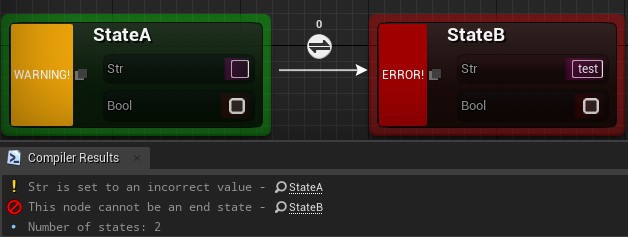
On Pre Compile Validate
Node classes have an OnPreCompileValidate function which may be overridden. From here a Compiler Log is passed in.
Const Method
This method is const and should not mutate any data in your node! Use Construction Scripts if you need to modify the node.
Log
The Compiler Log object contains a Log function which will write to the blueprint compiler. The Severity level signals how this message should be treated.
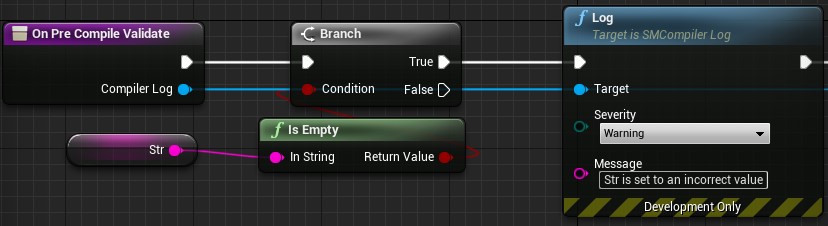
Note- Writes an informational message only to the compiler and node. This will not prevent the blueprint from compiling.
Warning- Write a warning message, but does not prevent the blueprint from compiling.
Error- Writes an error message which will prevent the blueprint from compiling. When starting PIE the standard blueprint compile error message will also display.
Kismet Compiler Wrapper
The Compiler Log object is a special wrapper for the kismet compiler log, which is normally only available in editor modules within a kismet compiler context.
LogProperty
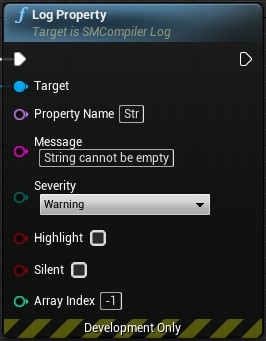
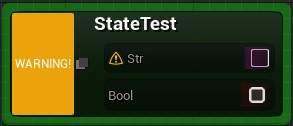
The Compiler Log object contains a Log Property function for signalling which specific property has an issue. This can be ideal for validating the value of a property and easily communicating the issue to the designer. When writing the message an icon appears next to the property based on the severity of the log.
Property NameThe name of the property to write the message to.MessageA string which is displayed as a tooltip for the icon by default.SeverityThe severity of the issue. The icon will change based on this option.HighlightWhether a highlight should appear around the property as well. This color changes based on the severity.SilentIf the log should NOT be written to the compiler log. This can allow a blueprint to compile even if the severity is an error.Array IndexThe index if the element is an array. Leave it at -1 to include all elements in an array.
Real-Time Property Validation
While compile validation can prevent a blueprint from compiling, it might be desirable to have real-time feedback when a property value changes. This can be accomplished through editor construction scripts and utilizing an editor node interface.
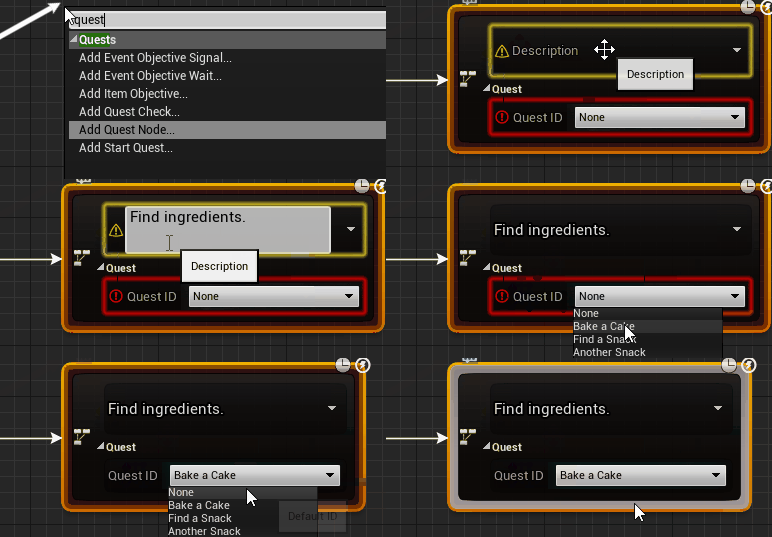
In the editor construction script you can access the owning editor graph node via interface. Each editor graph property can be retrieved and a notification or highlight set. This also functions in C++ with PostEditChangeProperty.
To retrieve the editor graph node interface, call Try Get Owning Editor Graph Node, then from there retrieve the graph property with Get Editor Graph Property.
- See the Editor Graph Node Interface for available editor graph node methods.
- See the Editor Graph Property Node Interface for available editor graph property methods.
Example Construction Script
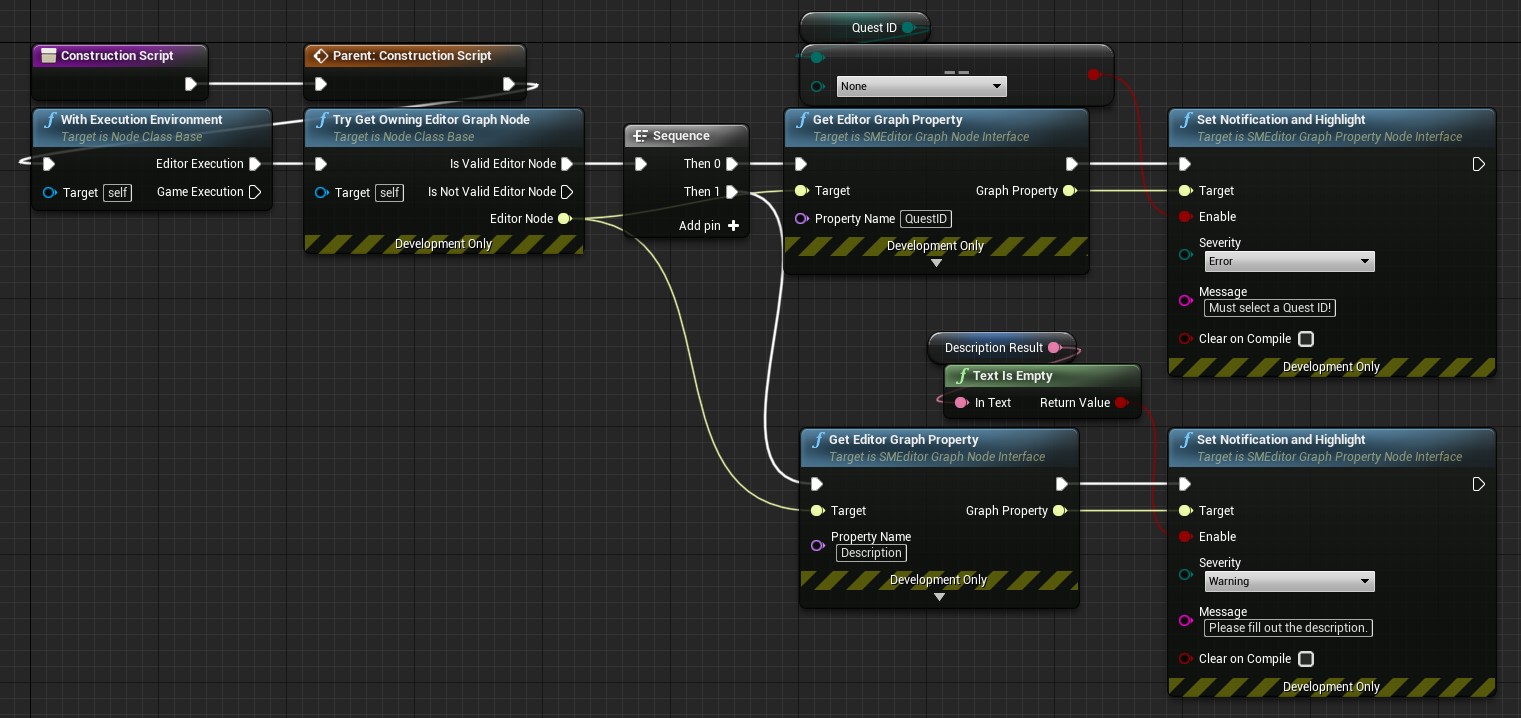
Validation Options
Validation can be quickly configured through the state machine blueprint's Class Settings.
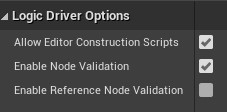
Enable Node Validationenables or disables validation on all node instances within this immediate state machine blueprint.-
Enable Reference Node Validation(defaults to false) allows node validation to run on each state machine reference in the state machine. Before enabling this consider the consequences, as references could also belong to different state machines and their validation rules may not account for this state machine blueprint as an owner. Additionally there will be performance overhead during compile as every node in every reference will need to be validated.Duplicate References
Duplicate references within the blueprints being validated are not fully supported. A single node template will be shared across all duplicates.